 Hadavar
Your mail, handled by AI
Hadavar indexes your mailbox on this device, groups threads by what they need from you, summarises the long ones, and drafts replies in your voice. Nothing leaves your machine without a keystroke.
Streams instead of one inbox
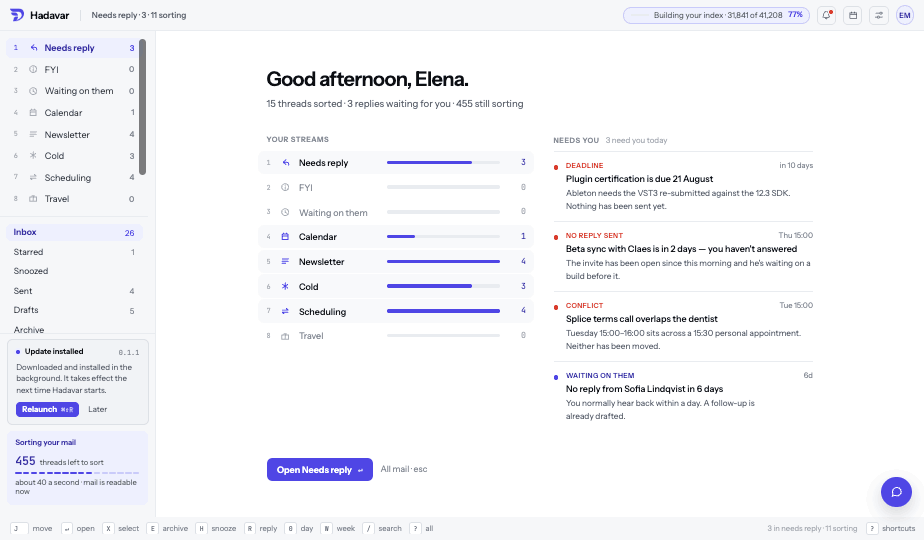
Every thread is classified by what it needs from you: Needs reply, Action needed, Waiting on them, FYI, Scheduling, Newsletter, Cold, Travel, Calendar. Stream counts exclude anything still being sorted, so a stream reads zero exactly when it is empty.
Mail is never hidden while the classifier works. Unsorted threads sit above the sorted rows in every stream, carrying no colour until a decision has been made, and a row never moves under your cursor — a reclassification waits as a dashed chip until you look away.
Answers grounded in content
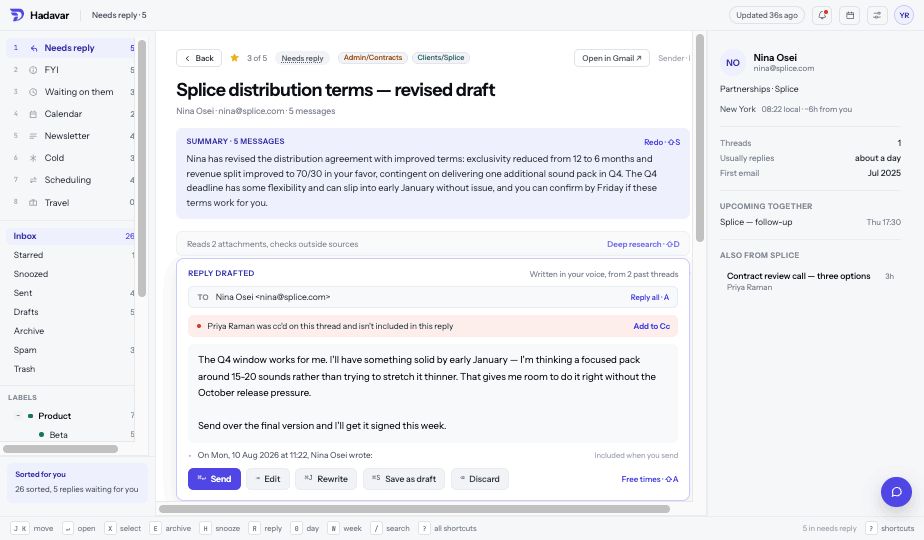
Threads with more than one message open with a summary that says how many messages it read and can be regenerated with a keystroke. Drafts state what they were built from — past threads, a meeting on your calendar — and flag anyone cc'd on the thread who has fallen out of the reply. Mail you are waiting on gets a follow-up nudge with the number of days attached.
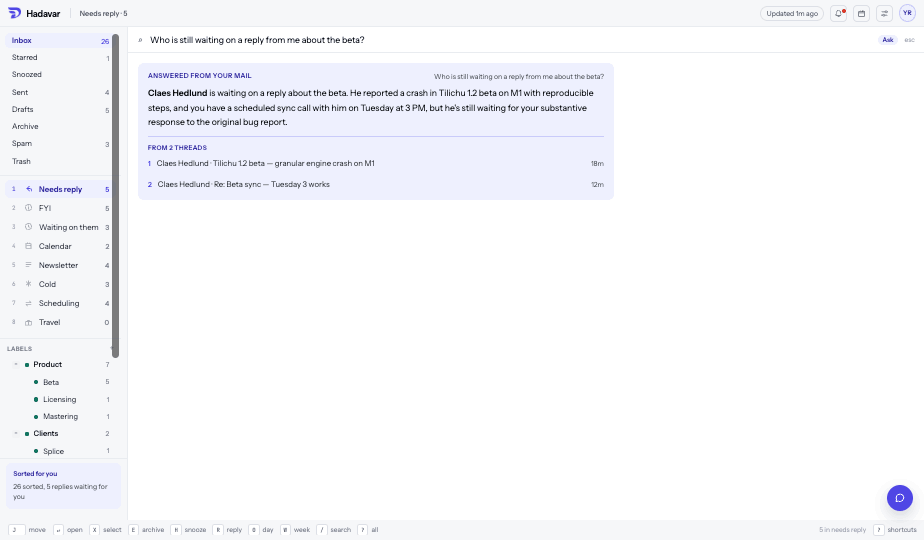
Ask a question in the search bar and the answer comes back with the threads it was drawn from, so you can open them and check.
Summaries
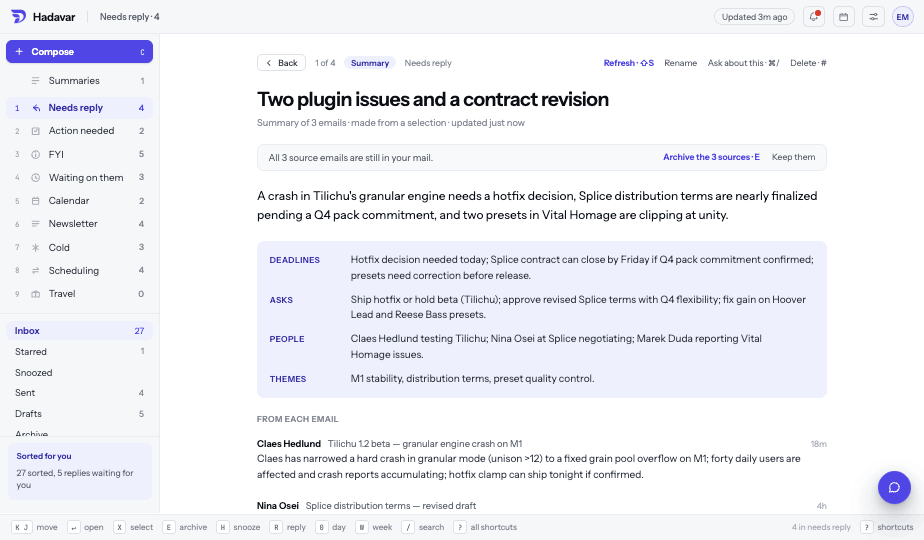
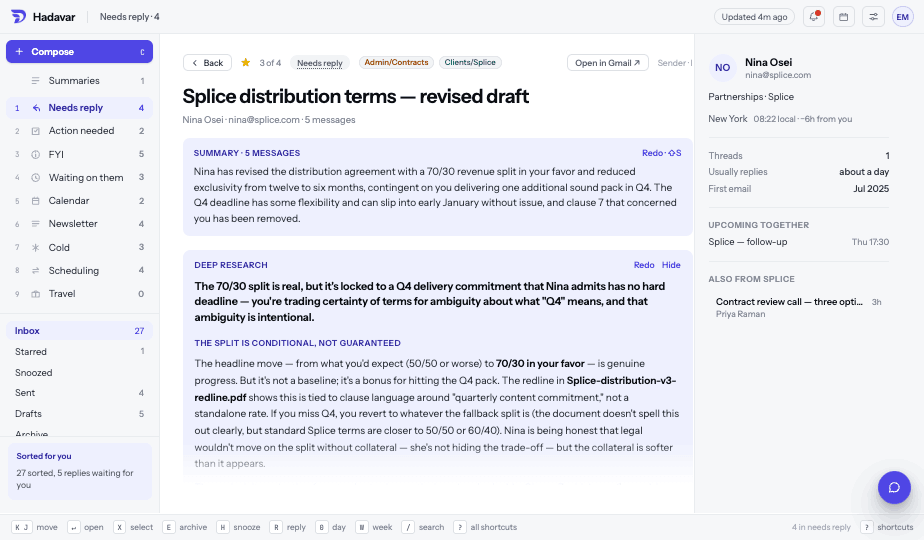
Select a few threads with X and press ⇧S to turn them into one summary card. It reads every email you picked, leads with what they add up to, gives each source a line, and lists any events the emails mention. Cards sit in the list like mail and are collected under Summaries in the sidebar.
Deep research
A summary tells you what a thread says. Deep research, on ⇧D, comments on it: it opens the attachments, follows the links and checks outside sources, then reports whether the claims hold up, what the linked pages contain, and the deadlines or risks the sender did not spell out. Before it starts it states what it will read, such as two attachments and three links, and it marks each stage as it finishes.
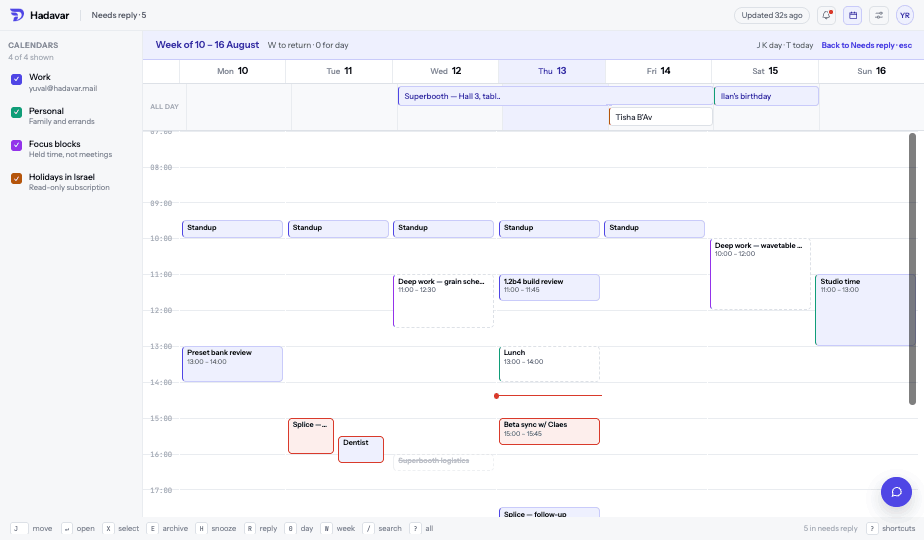
Your calendar is in the same window. Times offered in a reply are checked against it first, invitations can be answered from the thread, and a booking only goes out on a shortcut that cannot fire by accident. Each event carries its own notifications, starting from its calendar's defaults, and invitations you have not answered show as outlines until you do.
The index stays on your machine
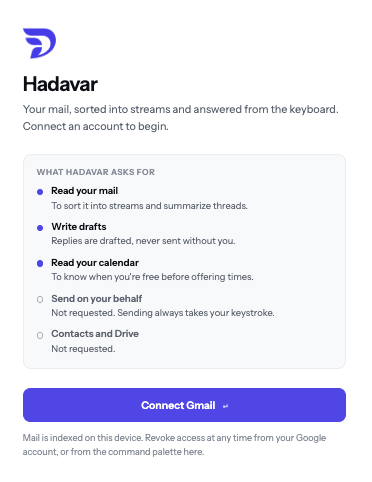
Connecting an account asks Google for what the app actually does: read and organise your mail, send it, read and write calendar events, list your calendars, and read and set your Gmail auto-reply and signature. Sending and booking are in that list because sending and booking are features — but neither ever happens on its own. Both take a keystroke you press, and both sit in an undo window before they leave. Contacts, Drive, and Gmail's forwarding and delegation settings are not requested at all — so nothing can be left behind that keeps sending your mail somewhere after you revoke access.
Access can be revoked from your Google account or from the command palette, and disconnecting removes the local index without deleting anything from Gmail.
Free while it is in beta
Connect a Gmail account, watch the backlog sort, and read your mail while it does.
Download for macOS ↓ 0.1.40 · 9.5 MB · macOS 13+ · Apple silicon